Monday, July 23, 2012

Judson ISD Connect App featured in San Antonio Express News

The San Antonio Express News featured the Judson ISD Connect app in a recent article at http://www.mysanantonio.com/default/article/Popular-app-can-check-grades-report-bullies-3689123.php


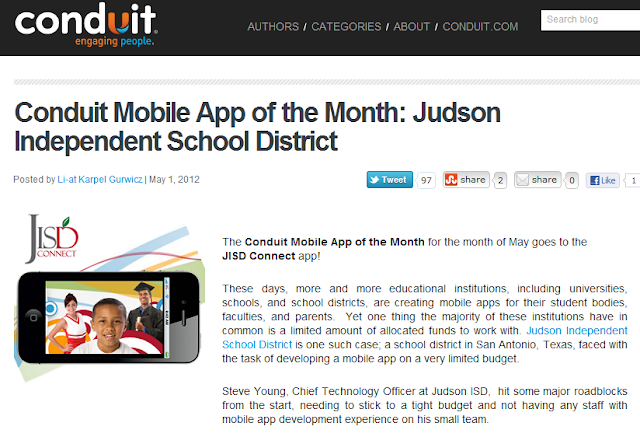
The Judson ISD Connect app was developed rapidly using the Conduit Mobile platform.


Wednesday, June 13, 2012

Mashable - Apps Used To Take Stand Against Bullies

Mashable published a nice story on schools and students using apps to report bullies.  The article featured a great app by Tim Porter, Stop Bullies, and mentions our team's fantastic Judson ISD Connect! app.  It also features a great classroom project where students created their own anti-bullying app.


The story is available on Mashable at http://mashable.com/2012/06/11/bullying-apps/


Friday, May 4, 2012

Judson ISD Technology Services May 2012 Uplink Newsletter Published

Judson ISD's May 2012 Technology Services' Uplink newsletter has been published at http://www.judsonisd.org/district/technology/newsletters/JudsonISDTechnologyServicesUPLINKNewsletterMay2012.cfm

UPLINK :: Technology Services Newsletter

There are many informative articles, including: Windows 7 upgrades, Improving Email Services, iPad Apps for Productivity Enhancement, Using Twitter to Create a Personal Learning Network, and more!.  So please take a few minutes and get updated on technology at Judson ISD by reading our May 2012 newsletter.

Wednesday, May 2, 2012

Judson ISD Connect! App named App of the Month by Conduit Mobile

Our Judson ISD Connect! app today was named the May 2012 app of the month by Conduit Mobile.  At the same time we are proud to announce a major upgrade of the app with addition of Parent Center mobile, which adds grades, attendance, and more for both student and parent viewing.


The full blog post on the app of the month is available here on the Conduit Blog.


Blog on Conduit Mobile awarding Judson ISD Connect! as May 2012 app of the month

Thursday, April 19, 2012

Scam Emails Using Your Friends' Data To Look Legitimate

The Nigerian email scams still holds a place in the "how they used to do it the old days" files of cyber yesterday. I received an email today that reminded me of my Nigerian email scam favorites, but also had harvested the name and signature of a friend, such that the scam took on a very personal nature....the last name has been blotted out to protect the infected:


Ok - so at least my friend quickly figured this out.......but how many takers might bite off on something like this?

Monday, April 9, 2012

Don’t be a Phisherman! Creative Spoofed URL’s Meant to Lure Unsuspecting Twitter Users


Can you spot what makes the following a Phishing attempt?  You may not at first glance....this is a very creative:

Fake Twitter Site

The page above that looks like a legitimate Twitter site is in fact not legitimate at all.   I received a Direct Message on Twitter that had a shortened URL, which redirected to ltvvitter.com – which at first glance looks like the URL for Twitter and would probably fools lots of people into coughing up their Twitter credentials.  If someone was in a hurry or just not paying attention, they might easily fall prey to this scam.  The message the URL was sent with was meant to get people to click to find out more; The message said “Hey someone is posting terrible things about you... “, then linked to the phishing fake Twitter site.

Monday, March 26, 2012

iPad Productivity Apps (for Principals & Administrators)

I am going to be training our principals (and other administrators) on productivity apps for better utilizing their iPads.  I have talked with several people, who have given some great ideas and many people across the state have contributed ideas through the TECSIG email list.   So far, here is the list of iPad apps for productivity (this list would probably work for more than just educators):


iPad Apps for (Principal and Administrator) Productivity
Stock iPad Apps
Safari
Web Browser
Included with iPad
Contacts
Syncs with Exchange (Outlook)
Included with iPad
Email
Syncs with Exchange (Outlook)
Included with iPad
Calendar
Syncs with Exchange (Outlook)
Included with iPad
Camera
Takes pictures
Included with iPad
Photos
Email, tweet, your photos..
Included with iPad
FaceTime
Real time video conference with other iOS users
Included with iPad

Notetaking Apps
Evernote
The e-filing cabinet of choice – use as your memory.  Stores emails, text notes & audio.  Syncs across many devices and web.  Great search!
Free
Notability
Any easy to use simple text, written, audio and photo note app – email or PDF notes
$9.99
GoodReader
Great PDF annotation and reader software
$4.99
PDF Expert
Simple PDF annotation with WiFi transfer and Box support
$9.99
Audio Memos Free
Voice recorder, email up to 3mb files, WiFi download
Free
Dragon Dictation
Voice to text transcriptions
Free

Office Apps
Pages, Numbers, and Keynote
Apple’s GREAT office apps for Word Processing, spreadsheet, and presentations.  These are the apps to use if using iPad for content creation.
$9.99 each 
QuickOffice Pro
All in one office suite – edits Microsoft Office docs and syncs with Box.net and WiFi file transfer.  This more affordable suite is geared towards just editing.
$14.99
CloudOn
Cloud-Based MS Office with Box synchronization
Free
Digits Calculator
Great desktop calc with editable, comment-able eTape that can be emailed
$1.99
Dictionary.com
Great dictionary and thesaurus
Free

Book  Apps
iBooks, Nook & Kindle
eBooks from the big three.
Free

News Apps
Pulse
Incredible customizable news aggregator
Free
FlipBoard
Another great customizable new aggregator
Free
Texas Tribune
Stay on top of Texas news and the legislature
Free

Other Useful Apps
Box
App to synchronize files to the cloud and web browser..use to move files between PC and iPad
Free
Citrix
Get a JISD Windows desktop and use MS Office,  access your H and T drives, etc
Free
Twitter
Great social networking tool to expand your PLN
Free
iThoughtsHD
Easy mind mapping with Image & PDF export and Box synchronization
$9.99
Skitch
Simple annotation app – take a photo and mark up ideas and notes (syncs to Evernote)
Free
Explain Everything
Annotate and narrate on screen then export video – great way to narrate presentations then share
$2.99