Showing posts with label iPhone. Show all posts

Sunday, April 14, 2013

Schools and districts should not ignore the mobile app tidal wave


How many smart phone users consume their favorite social media sites like Facebook, Linked In, or Twitter via a mobile web browser?   The answer is very few and usually they only do so if forced to use the browser by clicking a link that opens it.  Why is this?  Why do consumers want to avoid surfing web sites on their mobile devices’ browsers?  The answer is that most standard web sites, when looked via mobile phone’s browser, are hard to see, hard to navigate, and often don’t support mobile browsers well.  The end user experience in these browsers is about as pleasant as a trip to your local Department of Motor Vehicles to renew your license.
mobile apps on an iPhone
Social media providers have long figured this out and built apps for major phone and tablet platforms.  Stores are increasingly figuring this out and following the likes of Amazon with building mobile shopping apps. Banks are all over this bandwagon.  But schools and districts have not figured this out.
Schools typically still only provide a normal web site to mobile devices.  Sure, some provide a parsed down mobile version, but even these are somewhat hard to find.  Are schools’ customers different than retail or social media customers?  Heck no – they are the same people with the same preference for consuming web through mobile apps.  Most school customers are still getting Y2K versions of web sites built for Netscape Navigator delivered to their smart phones.

School CIOs need to address this shortcoming and get mobile apps built with easy to navigate user interfaces.  And to have a successful app, it will need to be for both Android and iOS.  Additionally, it must have data that is personally important to parents and students.  That means grade and attendance data is a critically important inclusion.  Other high value content such as menus, athletic schedules, athletic scores, and assorted news are welcome additions. 

Judson ISD Connect! mobile app
There are many roads to getting this done. Some are expensive, such as hiring a third party to build custom apps or hiring personnel with app development skill, but this may be a fine fit for a large district.  Sometimes more limited apps are included with a student information system (SIS) and are probably the best fit for small districts and schools.  Consider including this as a requirement when adopting a new SIS.  There are also low cost or free ways to get an app.  At Judson ISD we built an award winning app for a low cost without personnel dedicated to app programming, using the low cost web-based Conduit mobile platform.  A full presentation of our app and experience is available on Slideshare.

Or you may use a simple free service such as iSchoolBox, which may be a great way to test the waters and get your school into a mobile app (one app the hosts many schools’ mobile sites).  At the end of the day, the consumer demand is there and as CIOs and technology leaders, we need to stop delivering craptastic web sites to phones and tablets when our customers’ preferences have evolved well beyond this.

Monday, November 12, 2012

What? My iPad can do more than email and Web? iPad productivity apps (cross post with SchoolCIO)


There is one device that follows me around all the time at work, when going to meetings, while traveling—and it also goes home with me each night. It is my iPad. It is my ultimate productivity tool. I see many tech directors, CIOs, principals, and superintendents carrying theirs around as well. But what often surprises me is how many leaders just use their iPad for email and Web browsing, not exploring many of the fantastic iPad productivity apps that really can make this device shine. Many great iPad productivity apps can help leaders become more organized and effective.
 
So I want to share many of the apps that I find very useful below in my productivity app list. This is by no means an exhaustive list, but it ought to really help you get a great start on using your iPad for more than email and Web browsing.
 
Note: All prices are accurate as of 10/28/2012.
  
Stock iPad Apps
Safari
Web Browser
Included with iPad
Contacts
Syncs with Exchange (Outlook) and Google
Included with iPad
Email
Syncs with Exchange (Outlook) and Google
Included with iPad
Calendar
Syncs with Exchange (Outlook) and Google
Included with iPad
Camera
Takes pictures and video.
Included with iPad
Photos
Access, email, and share your photos.
Included with iPad
FaceTime
Real time video conference with other iOS users.
Included with iPad

Notetaking Apps
Evernote
The e-filing note cabinet of choice – use as your memory.  Stores emails, text notes & audio.  Syncs across many devices and web.  You can easily share notes.  Includes a great search feature!
Free
Notability
Any easy to use simple text, written, audio and photo note app – email or PDF notes.
$0.99
GoodReader
PDF annotation and reader software – a bit complex but very powerful, with Google Drive and Box support amongst many others.
$4.99
PDF Expert
Simple PDF annotation with WiFi transfer and Box support.
$9.99
Audio Memos Free
Voice recorder, email up to 3mb files, WiFi download.
Free
Dragon Dictation
Voice to text transcriptions.
Free

Office Apps
Pages, Numbers, and Keynote
Apple’s GREAT office apps for Word Processing, spreadsheet, and presentations.  These are the apps to use if using iPad for content creation.
$9.99 each
QuickOffice Pro HD
All in one office suite – edits Microsoft Office docs and syncs with Box.net and WiFi file transfer. This more affordable suite is geared towards just editing.

$19.99
CloudOn
Cloud-Based MS Office with Box synchronization
Free
Digits Calculator
Great desktop calc with editable, comment-able eTape that can be emailed.
$1.99
Dictionary.com
Great dictionary and thesaurus.
Free

Book  Apps
iBooks, Nook & Kindle
eBooks from the big three.
Free

News Apps
Pulse
Incredible customizable news aggregator.
Free
FlipBoard
Another great customizable news aggregator.
Free
News360
Great news aggregator with excellent social media integration.
Free

Other Useful Apps
Box
Box is a great secure corporate level file sharing service. Use this app to synchronize files to the cloud and web browser.  Can sync files between computer and iPad.
Free
Twitter
Great social networking tool to expand your PLN.
Free
iThoughtsHD
Easy mind mapping with Image & PDF export, Box, and WiFi sync.
$9.99
Skitch
Simple annotation app – take a photo and mark up ideas and notes (syncs to Evernote).
Free
Explain Everything
Annotate and narrate on screen then export video – great way to narrate presentations then share.
$2.99
VDI and Remote Desktop Clients (I use Citrix)
There are many virtual desktop clients that you can often use to access work from remote locations or which you can use at work to get a full Windows desktop on your iPad. 
Vary

Monday, July 23, 2012

Judson ISD Connect App featured in San Antonio Express News

The San Antonio Express News featured the Judson ISD Connect app in a recent article at http://www.mysanantonio.com/default/article/Popular-app-can-check-grades-report-bullies-3689123.php


The Judson ISD Connect app was developed rapidly using the Conduit Mobile platform.


Wednesday, May 2, 2012

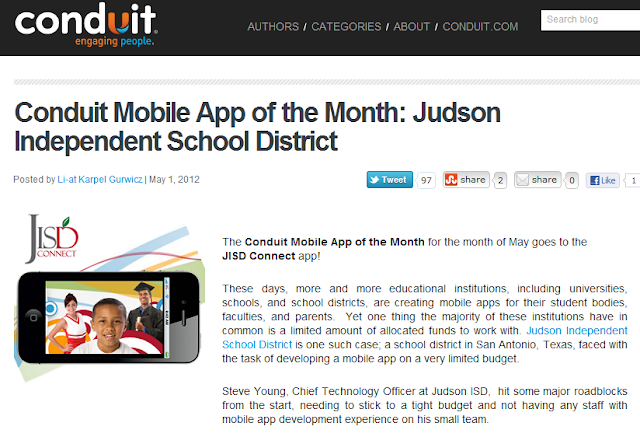
Judson ISD Connect! App named App of the Month by Conduit Mobile

Our Judson ISD Connect! app today was named the May 2012 app of the month by Conduit Mobile.  At the same time we are proud to announce a major upgrade of the app with addition of Parent Center mobile, which adds grades, attendance, and more for both student and parent viewing.


The full blog post on the app of the month is available here on the Conduit Blog.


Blog on Conduit Mobile awarding Judson ISD Connect! as May 2012 app of the month

Wednesday, February 1, 2012

Judson ISD Connect Mobile Application for iPhone, iPad and Android

After talking with a fellow technology leader about a rapid development tool for easily creating iOS (iPhone and iPad) and Android applications, I decided that I would investigate just how easy, or how difficult, the actual development of an Apple iOS and a Google Android application might be.  I was not sure of what kind of challenge this might be, given that I have only developed web pages and ColdFusion applications in the past.

I created an account at Conduit Mobile to investigate the process and after trying ideas out for about an hour, I knew that given the high number of great news, photo, video and other social media feeds that Judson ISD has, I could easily develop a great mobile application for our community. 

So I set aside a half day with my fantastic web team ( and one giant pizza to feed great minds ) consisting of a webmaster and web application developer and we mapped out a plan for the few hours we had put aside to work on our mobile app.  I focused on configuring the app, while the webmaster created couple of custom RSS feeds and the web app developer worked on some graphics.  We had most of the app ready within that afternoon, with everyone spending a couple more hours on their part in the next day or so.

Here is where I spent a lot of time putting the app parts together in Conduit mobile:


The most difficult parts of this project was the registering for becoming and Apple and Android developer and the associated application submissions and approvals.  The time from account creation to our application being published took no more than three weeks time, but would have been quicker had I not encountered some application build errors with Conduit Mobile.

I am very excited we were able to create such a useful app with so little time and money.  I think the end product is professional and very usable for our staff, students, and community.   

Below is the info from our Judson ISD mobile application page:

Judson ISD Connect Mobile Application for iPhone, iPad and Android


Conduit Mobile graphic
Using the freely available Conduit Mobile application platform, Judson ISD has leveraged its existing news, social media activity, photos, sports schedules, sports scores, video and bully reporting to offer our community a convenient iPhone, iPad, and Android application where they can conveniently browse our web content. We know today's mobile users like to consume web content via apps, rather than traditional web pages. The application is free of charge for anyone wanting to use from their existing smart phone or tablet.
This application was entirely built in house and the only cost besides some staff time, and the $499 Conduit Mobile premium lifetime subscription, was the $124 spent for Judson ISD to become approved developers for Apple and Android.
While there are no definitive plans for what might be added to this app in the future, we have many ideas about what we might add to this application in the future.
Please visit the links below to the Judson ISD Connect mobile application in the iTunes App Store and the Android Marketplace.
Here are some application screen shots - please download the latest version of the application to see the most current screens:
Judson ISD Connect! home screen
Judson ISD Connect mobile app photo gallery

Judson ISD Connect mobile app Twitter feedJudson ISD Connect mobile app news feed

For more information about our application and our development experience, please contact Steve Young, Chief Technology Officer for Judson ISD at (210) 945-5562 or by email at syoung@judsonisd.org