Showing posts with label Android. Show all posts

Thursday, May 15, 2014

Create Mobile iOS and Android Apps for Your District

Here is an update to my mobile app creation presentation for the The Digital Education andTechnology Exchange

Create Mobile iOS and Android Apps for Your District
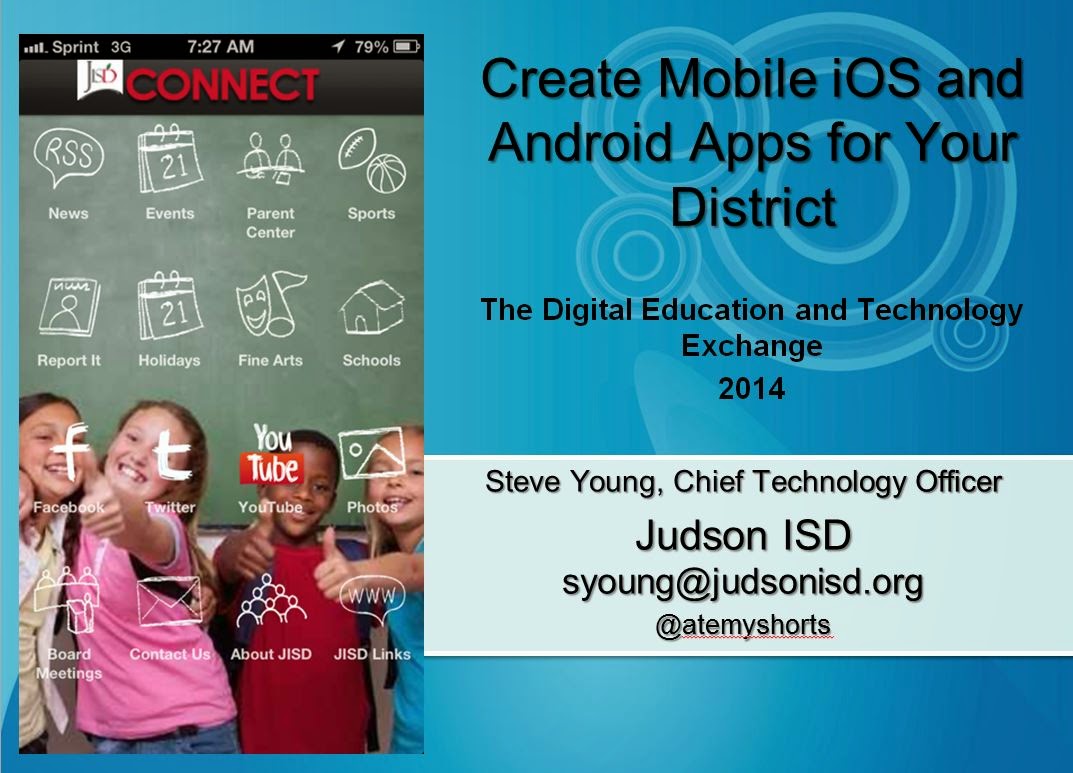
Creating Mobile Apps


Thursday, March 27, 2014

The Texas Calculator Debate

Over Spring Break in Texas, the Austin American Statesman published an article about Texas school districts being upset that they were going to have to spend $100 a calculator for eighth grade students taking the state math assessment, as required by the Texas Education Agency (TEA). The gist of several districts' concerns is that they would rather spend the $100 on a more versatile device for students' learning than a calculator that will one be used only for math. And many districts already have tablet 1:1 initiatives where both Apples' App store and Google's Play store have many free or low-cost graphing calculator apps. Why should these districts have to spend $100 more per device, especially given that the state issued the calculator mandate without any funding to support it? Fast forward to March 20 and the TEA's Commissioner of Education, Michael Williams, issued a press release allowing districts to pilot students using graphing calculator apps on tablets on a pilot basis. This was a welcome move for districts not wanting to spend money on calculators when they already have multifunction tablets that already can host a calculator app. Notably missing from the announcement was allowing other devices to be used for testing, such as laptops or Chromebooks, which also have graphing calculator apps. Nonetheless, it is refreshing to see a state agency trying to help districts use their funds for tools that best match students' needs. 

Thursday, March 6, 2014

How districts are feeding the mobile app beast?

I forgot to post this article on the Judson ISD Connect! mobile app that was done by Edtech magazine in October 2013.

Check out the article at: http://www.edtechmagazine.com/k12/article/2013/10/how-districts-are-feeding-mobile-app-beast


Sunday, April 14, 2013

Schools and districts should not ignore the mobile app tidal wave


How many smart phone users consume their favorite social media sites like Facebook, Linked In, or Twitter via a mobile web browser?   The answer is very few and usually they only do so if forced to use the browser by clicking a link that opens it.  Why is this?  Why do consumers want to avoid surfing web sites on their mobile devices’ browsers?  The answer is that most standard web sites, when looked via mobile phone’s browser, are hard to see, hard to navigate, and often don’t support mobile browsers well.  The end user experience in these browsers is about as pleasant as a trip to your local Department of Motor Vehicles to renew your license.
mobile apps on an iPhone
Social media providers have long figured this out and built apps for major phone and tablet platforms.  Stores are increasingly figuring this out and following the likes of Amazon with building mobile shopping apps. Banks are all over this bandwagon.  But schools and districts have not figured this out.
Schools typically still only provide a normal web site to mobile devices.  Sure, some provide a parsed down mobile version, but even these are somewhat hard to find.  Are schools’ customers different than retail or social media customers?  Heck no – they are the same people with the same preference for consuming web through mobile apps.  Most school customers are still getting Y2K versions of web sites built for Netscape Navigator delivered to their smart phones.

School CIOs need to address this shortcoming and get mobile apps built with easy to navigate user interfaces.  And to have a successful app, it will need to be for both Android and iOS.  Additionally, it must have data that is personally important to parents and students.  That means grade and attendance data is a critically important inclusion.  Other high value content such as menus, athletic schedules, athletic scores, and assorted news are welcome additions. 

Judson ISD Connect! mobile app
There are many roads to getting this done. Some are expensive, such as hiring a third party to build custom apps or hiring personnel with app development skill, but this may be a fine fit for a large district.  Sometimes more limited apps are included with a student information system (SIS) and are probably the best fit for small districts and schools.  Consider including this as a requirement when adopting a new SIS.  There are also low cost or free ways to get an app.  At Judson ISD we built an award winning app for a low cost without personnel dedicated to app programming, using the low cost web-based Conduit mobile platform.  A full presentation of our app and experience is available on Slideshare.

Or you may use a simple free service such as iSchoolBox, which may be a great way to test the waters and get your school into a mobile app (one app the hosts many schools’ mobile sites).  At the end of the day, the consumer demand is there and as CIOs and technology leaders, we need to stop delivering craptastic web sites to phones and tablets when our customers’ preferences have evolved well beyond this.

Sunday, January 6, 2013

Would you buy a new car with a blindfold on? Then why do so many schools ignore important factors when choosing devices for students?


Photo from: http://www.flickr.com/photos/squeakymarmot/2049742432/
You obviously wouldn't buy a car with a blindfold because there are so many factors in buying the car that are important, including design, features, layout, condition, and the cabin interior.  Many very well intention-ed educators are eager to put devices in the hands of students and jump on the bandwagon saying “we need to buy (insert device name here) for all students.”  This is often done without ever taking off the blindfold and getting down to looking at a schools’ and students’ needs, with a heavy dose of total cost of ownership evaluation to see what makes the most sense in a particular learning environment.

There are a host of great reasons why many different devices might assist students in their learning; Different curriculum (not just the book, but all that is done in a class to help students learn), grade levels, special needs, state requirements, testing mandates, student use cases and more should all be considered in an evaluation of devices for student. 

I suggest starting off with a needs inventory.  Get started by listing out all the things that are non-negotiable that you need the device and students to be able to do.  A short example list such as this would be a start: 
1.       Need to be able to print to classroom printers.
2.       Need 1024x1200 resolution to support testing mandates.
3.       Need ability to save documents to Google docs.
4.       Needs to save to local storage when not connected to the internet.
5.       Minimum 8 hours battery life.
6.       Science class requires USB based probe support.
7.       Social studies curriculum requires student to be able to display screen to entire class.

You also may want to list some things that would be nice, but are not true requirements such as: three year warranty, comes with a case, and has a CD drive.

At this point put this all into a big matrix or spreadsheet to start the evaluation.  It would map put like this but would have many more elements:
Device
Total Cost of Ownership
Fully Supports Learning Ecosystem
Support Centralized Application Distribution
Android Tablet


iPad


Windows Laptop


Chromebook


The first column in one that is often ignored and beyond the scope of this blog post, but it is very important.  Looking at all the costs related to student devices is imperative in an evaluation.  The upfront purchase cost is just one part, but support costs, repair costs, and maintenance costs, etc. must all be included to get an accurate picture.  A great in depth resource on total cost of ownership, or TCO, is available from the Consortium for School Networking (CoSN) at http://goo.gl/BtC7L

In the end when the matrix is filled out, you should have a very good idea of what device will end up best meeting the needs of students and the district.  While sometimes it seems easier to keep the blindfold on, in the end you may end up with something that is unworkable and not sustainable for the long term. Why end up with an unreliable Pinto, when you can have a much better device at a lower TCO?

Thursday, October 18, 2012

Judson ISD Connect Mobile App Takes the Bronze Lovie Award


Yesterday we received notification that the Judson ISD Connect! mobile school app for Android and iOS received a Bronze award in the European Lovie Awards.  I am so very proud of my co-workers who worked very hard to make this app what it is.  I am also most appreciative of Conduit Mobile and their fantastic team who worked with us to make the app better and resolve issues to make the app what it is today. More info on the app is available at the app page at http://www.judsonisd.org/district/technology/jisd_mobile.cfm or read about our development experience here in the CTO Technotes blog via Tech & Learning Magazine.


Monday, July 23, 2012

Judson ISD Connect App featured in San Antonio Express News

The San Antonio Express News featured the Judson ISD Connect app in a recent article at http://www.mysanantonio.com/default/article/Popular-app-can-check-grades-report-bullies-3689123.php


The Judson ISD Connect app was developed rapidly using the Conduit Mobile platform.


Wednesday, June 13, 2012

Mashable - Apps Used To Take Stand Against Bullies

Mashable published a nice story on schools and students using apps to report bullies.  The article featured a great app by Tim Porter, Stop Bullies, and mentions our team's fantastic Judson ISD Connect! app.  It also features a great classroom project where students created their own anti-bullying app.

The story is available on Mashable at http://mashable.com/2012/06/11/bullying-apps/


Wednesday, May 2, 2012

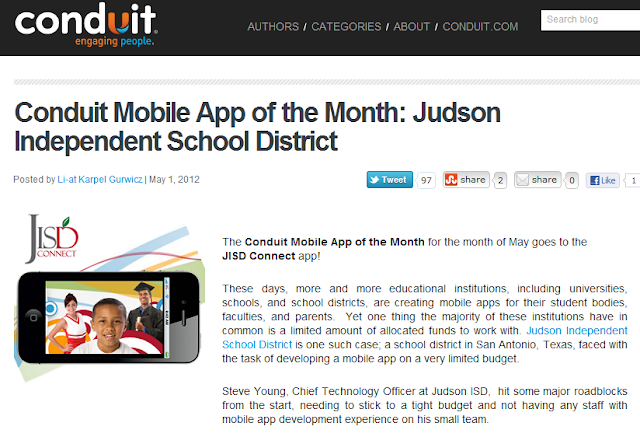
Judson ISD Connect! App named App of the Month by Conduit Mobile

Our Judson ISD Connect! app today was named the May 2012 app of the month by Conduit Mobile.  At the same time we are proud to announce a major upgrade of the app with addition of Parent Center mobile, which adds grades, attendance, and more for both student and parent viewing.


The full blog post on the app of the month is available here on the Conduit Blog.


Blog on Conduit Mobile awarding Judson ISD Connect! as May 2012 app of the month

Friday, March 23, 2012

Tech & Learning Magazine - How We Developed A Mobile App for Our School District – You Can Do It Too

Tech & Learning magazine published my article on how we developed our Judson ISD Connect! mobile app for iOS and Android.


The article cover how we used Conduit Mobile to easily create a published app for our community.  The article is more in depth than the prior CTO Technotes blog entry.


The T&L article is available on their site at: http://www.techlearning.com/Default.aspx?tabid=67&EntryId=4041


Wednesday, February 1, 2012

Judson ISD Connect Mobile Application for iPhone, iPad and Android

After talking with a fellow technology leader about a rapid development tool for easily creating iOS (iPhone and iPad) and Android applications, I decided that I would investigate just how easy, or how difficult, the actual development of an Apple iOS and a Google Android application might be.  I was not sure of what kind of challenge this might be, given that I have only developed web pages and ColdFusion applications in the past.

I created an account at Conduit Mobile to investigate the process and after trying ideas out for about an hour, I knew that given the high number of great news, photo, video and other social media feeds that Judson ISD has, I could easily develop a great mobile application for our community. 

So I set aside a half day with my fantastic web team ( and one giant pizza to feed great minds ) consisting of a webmaster and web application developer and we mapped out a plan for the few hours we had put aside to work on our mobile app.  I focused on configuring the app, while the webmaster created couple of custom RSS feeds and the web app developer worked on some graphics.  We had most of the app ready within that afternoon, with everyone spending a couple more hours on their part in the next day or so.

Here is where I spent a lot of time putting the app parts together in Conduit mobile:


The most difficult parts of this project was the registering for becoming and Apple and Android developer and the associated application submissions and approvals.  The time from account creation to our application being published took no more than three weeks time, but would have been quicker had I not encountered some application build errors with Conduit Mobile.

I am very excited we were able to create such a useful app with so little time and money.  I think the end product is professional and very usable for our staff, students, and community.   

Below is the info from our Judson ISD mobile application page:

Judson ISD Connect Mobile Application for iPhone, iPad and Android


Conduit Mobile graphic
Using the freely available Conduit Mobile application platform, Judson ISD has leveraged its existing news, social media activity, photos, sports schedules, sports scores, video and bully reporting to offer our community a convenient iPhone, iPad, and Android application where they can conveniently browse our web content. We know today's mobile users like to consume web content via apps, rather than traditional web pages. The application is free of charge for anyone wanting to use from their existing smart phone or tablet.
This application was entirely built in house and the only cost besides some staff time, and the $499 Conduit Mobile premium lifetime subscription, was the $124 spent for Judson ISD to become approved developers for Apple and Android.
While there are no definitive plans for what might be added to this app in the future, we have many ideas about what we might add to this application in the future.
Please visit the links below to the Judson ISD Connect mobile application in the iTunes App Store and the Android Marketplace.
Here are some application screen shots - please download the latest version of the application to see the most current screens:
Judson ISD Connect! home screen
Judson ISD Connect mobile app photo gallery

Judson ISD Connect mobile app Twitter feedJudson ISD Connect mobile app news feed

For more information about our application and our development experience, please contact Steve Young, Chief Technology Officer for Judson ISD at (210) 945-5562 or by email at syoung@judsonisd.org